

You can see the front door from your window, but what about the driveway after dark, the side gate, or the shed at the back of the yard? These are often the places where an extra camera would help most—and where finding an outdoor power outlet is hardest.
Solar security cameras offer a practical way to watch those areas without running a power cable from the house to every camera. Choosing the right setup, however, involves more than checking whether a solar panel is included. Recording mode, wireless range, storage, and how you view the footage all matter.
This guide explains what to look for and where the Campark SC43 solar security camera system fits: a multi-camera setup with an indoor NVR monitor and local hard-drive storage.

1. Start with the places you want to watch
Before comparing wireless solar security cameras, make a short list of the areas that matter to you. A camera watching your parked car has a different job from one watching a narrow gate or a backyard entrance.
The driveway and front approach
Position a camera to capture people approaching the house and activity around parked vehicles. Check the view at night as well as during the day, and avoid aiming directly into headlights when possible.
The backyard and side gate
Cover the routes someone would use to enter the yard. A useful view of a gate or shed entrance is often more valuable than a wide view filled with moving branches.
A multi-camera kit lets you cover separate areas without depending on one camera to face every direction at once. The SC43 offers pan-and-tilt cameras for adjusting the view, while the NVR monitor provides a central place to check the system. Choose the kit configuration that matches the number of locations you need to cover.
2. Understand what solar power actually does
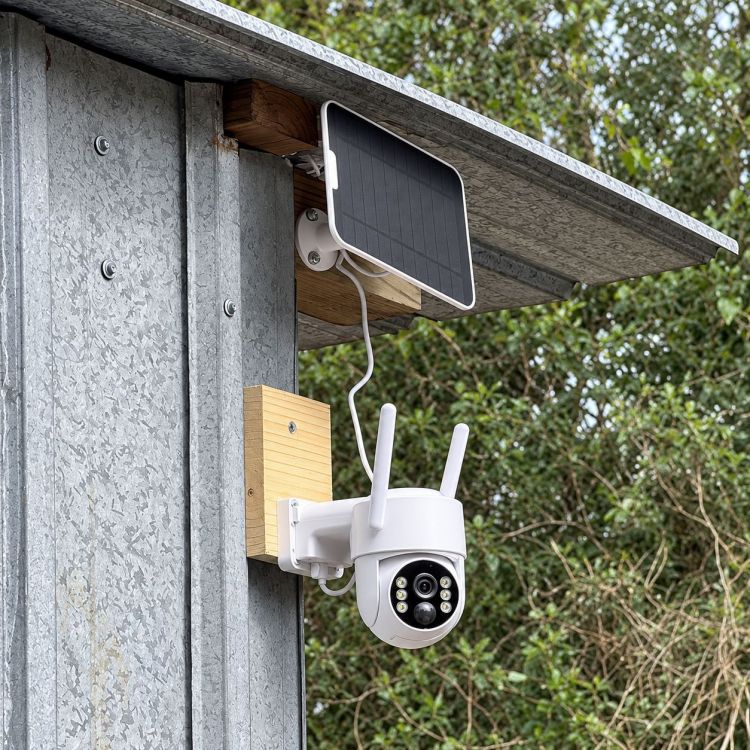
A solar panel security camera uses a rechargeable battery to operate, with the panel helping replenish that battery during daylight. The camera can run after sunset using stored energy; it does not need sunshine at the exact moment it records.
Charging results depend on sunlight, panel placement, weather, and camera use. A shaded wall may offer the best viewing angle but a poor charging position. With a separate panel, you can choose a clearer view for the camera and a sunnier position for the panel, within the supplied cable's reach.
When choosing a solar camera outdoor setup, look beyond the word “solar.” Plan where the panel will receive direct light and remain accessible for cleaning. Solar powered surveillance cameras still need occasional attention, especially during extended cloudy periods or heavy use.
Wireless does not mean the whole system runs without cables. The SC43 cameras use solar panels and batteries, with a cable between each panel and camera. The indoor NVR monitor requires its power adapter. This is a way to avoid running mains power to each outdoor camera, not a fully off-grid system.
3. Separate local monitoring from remote phone access
“Does it need Wi-Fi?” can mean two different things: does the camera need your home router to communicate locally, and do you need internet to see the footage while away?
The SC43 system with NVR monitor supports local viewing and recording without a home Wi-Fi connection. Its kit cameras are factory-paired with the NVR. This makes it useful when you want an indoor screen instead of reaching for your phone every time.
Remote access through the CloudEye 365 app requires the system to be connected to the internet, as well as an internet connection on your phone. Solar power supplies energy; it does not provide internet access. The SC43 is not a cellular camera with its own mobile data connection.
If you have been searching for “solar security cameras wireless outdoor,” check both connections before buying: the wireless link around your property and the internet link needed for viewing from elsewhere.
4. Choose recording that matches what you need
Do you want a clip when someone enters the driveway, or a recording of every second of the day? This is one of the most important questions to answer before buying a solar powered outdoor security camera.
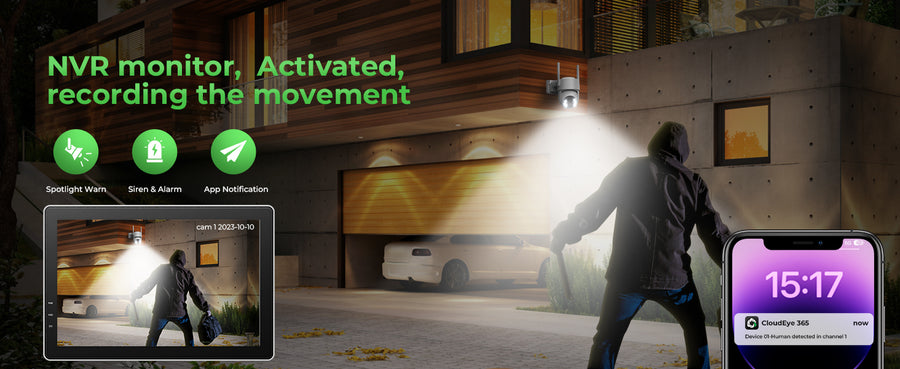
The SC43 uses motion-triggered recording, not 24/7 continuous recording. Its PIR motion detection triggers recording when activity is detected. This approach helps manage battery use and storage, but it is different from a continuously recording wired system.
If your priority is reviewing relevant motion events around the home, this recording mode may suit you. If you must reconstruct every moment between events, choose a system explicitly designed for continuous recording. A solar powered cctv camera should never be assumed to record continuously simply because it is described as a surveillance camera.
5. Keep footage without making cloud storage essential
Finding a useful clip should be straightforward. With solar surveillance cameras, check where recordings go, whether a subscription is required for your intended use, and how you will review saved events.
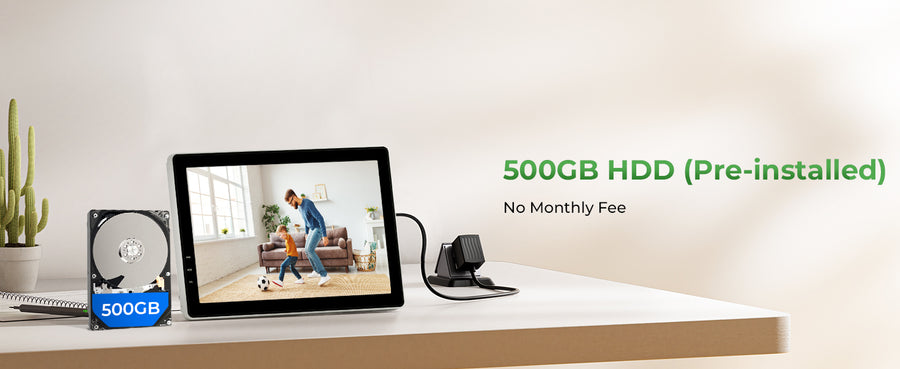
The SC43 monitor kits include a 500GB hard drive for local recording, so a paid cloud subscription is not required for that local storage. H.265 compression helps use storage efficiently. Actual recording retention depends on activity levels, camera count, and recording settings; 500GB does not translate into one guaranteed number of days.
For households that prefer an indoor monitor and local playback, the SC43 with included hard-drive storage brings those functions together. Check the selected variant carefully: a camera-only expansion option is not the same as a complete monitor kit.
6. Test night visibility and wireless range before mounting
A daytime view does not tell you everything about a solar cctv camera. The SC43 offers color night vision using its spotlight, along with two-way audio for speaking with someone near the camera. Test the actual view where you plan to install it instead of judging only by the daytime image.
Wireless performance also depends on placement. Thick walls, metal structures, and distance can weaken the connection. Before drilling, check each proposed camera position with the NVR in its intended indoor location.
- Choose the viewing angle. Focus on an entrance or approach you want to monitor.
- Check the wireless connection. Test the camera at that location before permanent installation.
- Position the solar panel. Find a sunny spot within cable reach, clear of recurring shade.
- Walk through the scene. Check motion recordings and night visibility, then adjust placement and available settings.
How to choose the best solar-powered system for your home
If you are comparing options using the search phrase “best outdoor wireless security camera system solar powered,” start with your property rather than a universal ranking. The right system should match your coverage areas, recording needs, available sunlight, and preferred way to watch.
The SC43 is a practical choice for homeowners who want multiple solar-powered cameras, a dedicated indoor monitor, and local hard-drive storage without a mandatory cloud subscription. Its 10-channel NVR also allows expansion with compatible cameras, up to the supported channel limit. Confirm compatibility before adding cameras.
For a property with no power for an NVR, or a location that needs remote viewing without fixed internet, a different type of system may be a better fit. Likewise, choose a continuously recording system if motion clips alone cannot meet your needs.
Build coverage around the places that matter
Check the SC43 kit options for your driveway, backyard, and other outdoor entrances. Compare the included cameras, monitor, and storage before choosing your setup.
Explore the Campark SC43 SystemFrequently asked questions
Do solar security cameras work at night?
Yes. Battery-powered solar cameras use stored energy after sunset. The SC43 supports night vision, including color night vision with its spotlight. Battery charge and installation conditions still matter.
Does the SC43 record all day and night?
It uses motion-triggered recording. It is not designed to provide an uninterrupted 24/7 video timeline.
Can I use the SC43 without home Wi-Fi?
Yes, for local monitoring and recording with the NVR system. Viewing remotely through the app requires the system to have an internet connection.
Does local recording require a monthly fee?
No paid cloud subscription is required for recording to the included 500GB hard drive in the SC43 monitor kits.